


Barber Chop
3.7976.00 Reviews
App Specs
- Version
- 5.4.130
- Updated On
- License
- Free
- Downloads
- 10,000,000+
- Developer
- Lajeune & Associates, LLC
- Categories
- Beauty
- Platform
- Android, iOS
Screenshots

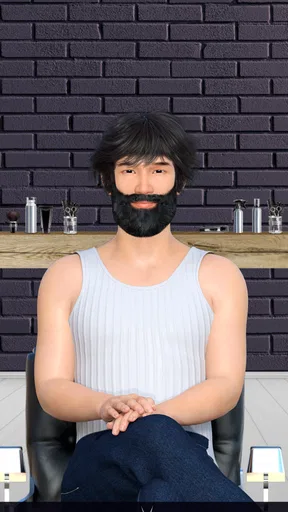
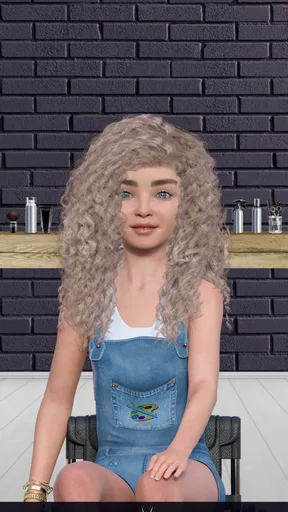
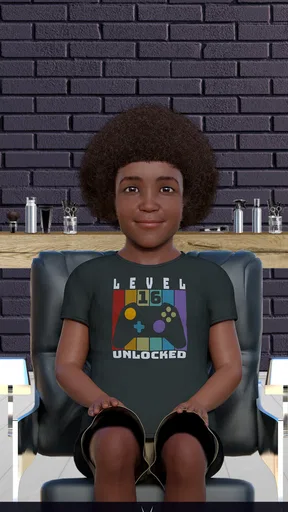


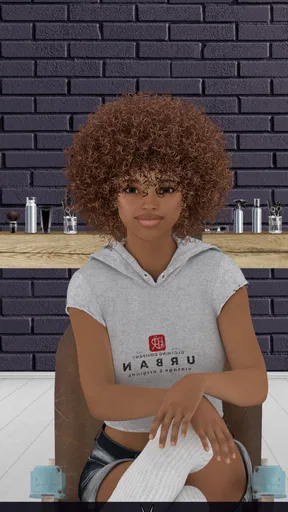
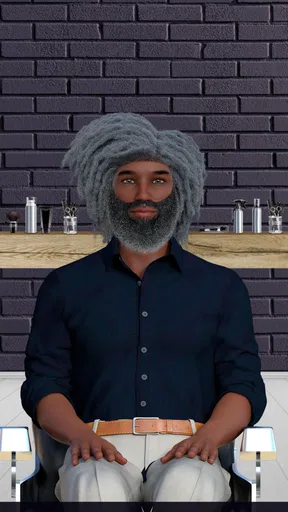
 Analysis by AppCompare
I like the central idea behind Barber Chop: instead of simply browsing hairstyles, you get to shape them yourself on a range of different people. That hands-on focus gives this beauty app a playful, visual appeal. I found it most enjoyable when I treated each client as a small design problem—work out what the look needs, make a few careful changes, then check whether the result feels balanced. It’s an easy concept to understand, but the satisfaction comes from the decisions you make along the way.
A barber’s toolkit, built around visual choices
The appeal is less about learning professional barbering and more about seeing how a style takes shape under your hand. Clippers, scissors and razors give the activity a familiar salon feel, while the choice of styles and colors opens the door to more imaginative results. I enjoyed switching between a tidy, restrained look and a louder design, because the same basic creative task can feel quite different depending on how far I push it.
That range also makes the app approachable. You don’t need to know haircut terminology to start experimenting: you can begin with a simple idea, observe the hair as you work and adjust your approach. The most useful habit I found was to make deliberate passes rather than rushing straight toward a finished look. It’s easier to notice whether a shape is working when you give yourself room to pause and reassess.
How the hands-on process feels
The tools provide the main interaction, so this is an app for people who want to do something with the screen rather than just look at examples. Rotating a client’s head is particularly helpful: a cut that seems neat from one view may need attention from another. I recommend checking the sides and back before calling a design finished. That small change in perspective makes the activity feel more considered and gives the 360-degree view a practical purpose, not just a novelty.
There is a pleasant tactile quality to the sounds and tool actions, even though the work is virtual. I wouldn’t mistake that for real training—there’s no substitute here for learning on actual hair—but it does make casual styling more absorbing. If you’re using it to unwind, try choosing one simple goal for a session, such as making a clean outline or testing a color combination. A small target can be more satisfying than endlessly changing details without deciding what you want.
Getting Started with Your Virtual Barber Shop
Downloading Barber Chop was a breeze, and diving into the world of virtual hair styling was as simple as pie. Once you fire up the app, you’re greeted with a selection of clients, each waiting for your unique touch. The interface is pretty intuitive, so even if you’re a newbie, you’ll feel like a pro in no time.
The app offers a variety of tools—from clippers to scissors, and even razors. It’s like having a full-fledged barber kit in your pocket. Plus, the realistic sound effects make every snip and buzz satisfyingly authentic. I mean, who knew virtual hair could be so rewarding?
Worth Reading Before You Choose

Baby Panda World Brings Quick Play to Modern Phones, but Its Game Library Feels Busy

ESPN’s Live Game View Makes Following Close Games Easier

QuizzLand Review: A Good Fit for Short Trivia Breaks, Not Every Player

Basketball Stars: Multiplayer Is Fast, but Can It Recover When Matches Go Wrong?

WEBTOON Turns Phone Updates Into a Better Reading Routine

Link to Windows Runs on Shared Habits, Not Social Feeds
Features That Stand Out
One of the coolest features is the ability to choose different styles and colors for your clients. Whether you’re going for a classic fade or something more outlandish, Barber Chop has you covered. The precision you can achieve with the tools is impressive, allowing for some really detailed work.
Another neat aspect is the option to rotate your client’s head, giving you a 360-degree view. This makes it so much easier to perfect those tricky areas and ensure every angle is just right. Trust me, you’ll find yourself spending way more time than you intended, just trying to get that perfect look!
Making a normal spare moment count
A good everyday use is a short break when you want a creative distraction but don’t want to commit to a long session. I’d pick one client, decide on a general direction, and use the different angles to check the result before moving on. That approach suits the app better than treating it like a serious salon simulator: the fun is in trying a look, seeing how it reads, and making a few adjustments.
It can also be a lighthearted choice to share the screen with a friend or family member and compare ideas, though I’d treat that as informal play rather than a built-in social feature. One person can suggest a style or color, while the other makes the choices. This turns the creative process into a small conversation and helps anyone who feels unsure where to start. If the finished design is the point for you, take a moment to view it from more than one angle before moving on.
Where it sits among beauty apps
Compared with a typical beauty app built around makeup previews, grooming advice or photo-based transformations, this one puts the emphasis on actively shaping hair on diverse characters. That makes it more playful than a reference tool and less useful if your main goal is to compare a real haircut against your own face. It also differs from a detailed simulation: the appeal is accessible experimentation, not a lesson in technique or a promise that a virtual result will translate directly to a barber’s chair.
If you’re deciding whether it can help you choose your next real haircut, I’d use it only as a source of broad inspiration. A color or silhouette you enjoy here might give you a starting point for a conversation with a stylist, but screen-based designs shouldn’t be treated as a precise preview of how your own hair will look. For practical haircut planning, real photos and advice from a barber are a better fit.
Challenges, progress and a useful way to experiment
What keeps the experience fresh is the array of challenges you can take on. These range from simple cuts to more complex styles that test your skills. Completing these challenges not only boosts your confidence but also unlocks more tools and styles.
I found it helpful to approach a challenge in stages: first focus on the broad shape, then refine the details, and finally inspect the result from around the head. That order keeps me from spending too long perfecting one area while overlooking the overall design. The trade-off is that challenge-based goals can pull you toward completing a task rather than freely creating. If you’d rather follow an idea wherever it goes, open-ended experimentation will probably suit your mood better than treating every session as a score to chase.
Creative freedom, with a few limits
If you’re feeling particularly creative, the app lets you go wild with your designs. There’s something oddly satisfying about experimenting with bold colors and patterns. I found myself getting lost in the creative process, and it was a blast seeing my crazy ideas come to life.
That freedom is also where expectations matter. The app’s appeal is visual play, so people looking for detailed haircut instruction, realistic client consultation or a practical guide to using clippers should choose something more educational. Likewise, anyone who prefers a quiet, minimal experience may not enjoy the busy, hands-on focus or the sound effects. I’d also keep an eye on spending if you’re browsing optional purchases: it is free to start, but individual in-app items range from under a dollar to just under twenty dollars.
Who will enjoy it most
I’d recommend it to people who like casual creative apps, enjoy experimenting with hair designs, or want a low-pressure activity that works in short bursts. It may also appeal to younger players, since its content rating is Everyone, though parents should still make their own decision about purchases and screen time. The app is from Lajeune & Associates, LLC, and it has reached over ten million installs, with an average rating of 3.8 from around forty-nine thousand ratings. Those figures suggest a sizeable audience, though they don’t guarantee that its particular style of play will suit you.
On the practical side, it is free to download, runs on Android 8.0 or later, and its current version is 5.4.123. It was released on December 20, 2017. I would check that your device meets the minimum system requirement before installing, especially if you use an older phone. If you want a hands-on hair-design distraction, that’s a straightforward starting point; if you need a real-world grooming reference, a virtual barber game is not the tool I’d rely on.
Challenges and Creativity
What keeps the experience fresh is the array of challenges you can take on. These range from simple cuts to more complex styles that test your skills. Completing these challenges not only boosts your confidence but also unlocks more tools and styles.
If you’re feeling particularly creative, the app lets you go wild with your designs. There’s something oddly satisfying about experimenting with bold colors and patterns. I found myself getting lost in the creative process, and it was a blast seeing my crazy ideas come to life.
Final Thoughts
All in all, Barber Chop is a fantastic way to flex your creative muscles and have some fun along the way. Whether you’re a seasoned stylist or just looking for a quirky pastime, this app has got something for everyone. So go ahead, unleash your inner barber and start chopping away!
Pros
- Realistic 3D graphics enhance the experience.
- Wide variety of hairstyles to choose from.
- Intuitive controls make it easy to play.
- Regular updates with new styles and tools.
- Free to play with optional in-app purchases.
Cons
- May contain ads that disrupt gameplay.
- Limited features without in-app purchases.
- Requires internet connection for updates.
- Occasional performance issues on older devices.
- Customization options can be overwhelming.
FAQs for Barber Chop
What platforms is Barber Chop available on?
Barber Chop is available for both Android and iOS devices. Users can download the app from the Google Play Store for Android devices or the Apple App Store for iOS devices. Ensure your device meets the minimum system requirements for the best performance and experience.
How does Barber Chop enhance the haircut simulation experience?
Barber Chop provides a realistic haircut simulation experience by offering a wide range of tools and styles. Users can choose from various hairstyles and customize them with different cutting tools. The app's intuitive interface allows easy navigation, making the virtual haircutting experience engaging and user-friendly.
Is Barber Chop suitable for all ages?
Barber Chop is designed for users of all ages, offering a fun and creative outlet for anyone interested in hairstyling. The app features a simple and intuitive interface, making it accessible for children, while the variety of tools and styles can also engage adults. Parental guidance is recommended for younger users.
Are there in-app purchases in Barber Chop?
Yes, Barber Chop offers in-app purchases that allow users to unlock additional features, styles, and tools. While the app is free to download and use, these optional purchases can enhance the overall experience by providing more customization options. Users can enjoy the basic features without spending any money.
Can I share my creations from Barber Chop on social media?
Barber Chop allows users to share their haircut creations directly on social media platforms. The app provides easy sharing options so users can showcase their hairstyling skills and creativity with friends and followers. This feature encourages interaction and feedback from the online community.


